
In the previous article on KoboToolbox, I discussed how to sign up for a KoboToolbox account and the key features of KoboToolbox. In this article, I highlight the four options available in KoboToolbox for form development. I will then illustrate how to build a form in KoboToolbox from scratch, and the types of questions that can be used in form development in KoboToolbox.
Four options of form development in KoboToolbox
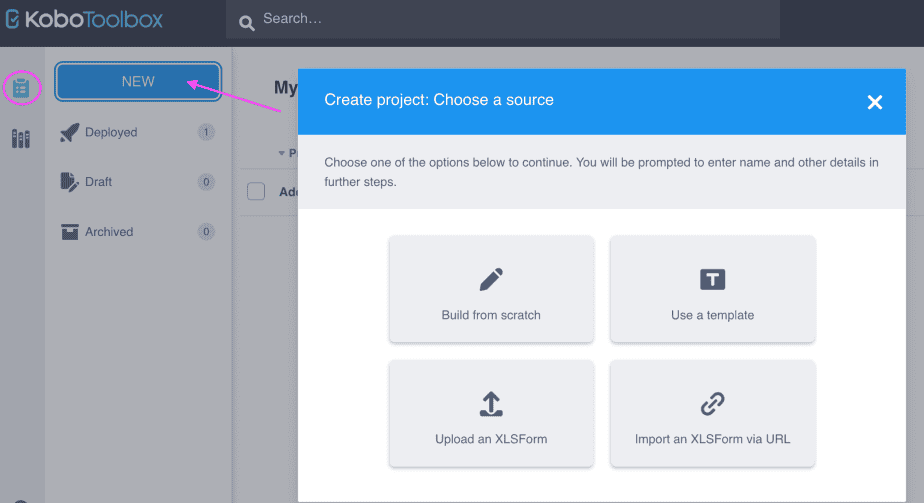
There are four options of form development in Kobo Toolbox:
- Building from scratch
- Using a template
- Uploading an XLSForm
- Importing an XLSForm via URL
Form development from scratch
To create a new form from scratch in KoboToolbox, go to Projects, then click new.
From the “Create a project: choose a source” dialogue box, click on “Build from scratch”.
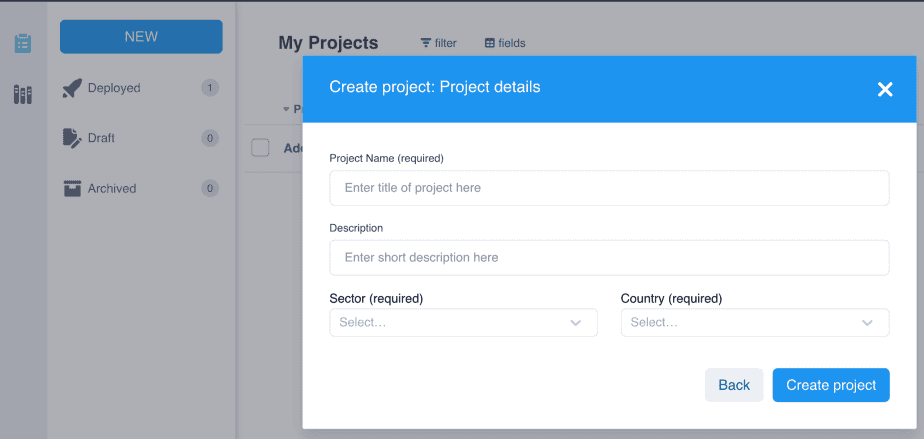
A new dialogue box will open titled “Create project: project details.”
Fill in the form with the project name, description, sector and country and click “Create project.”
This will take you to a new page with a blank form to fill:
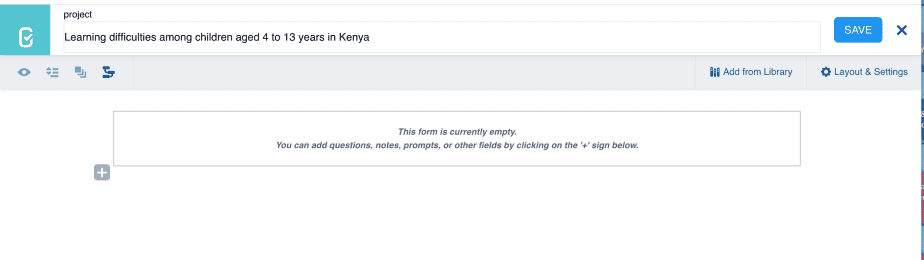
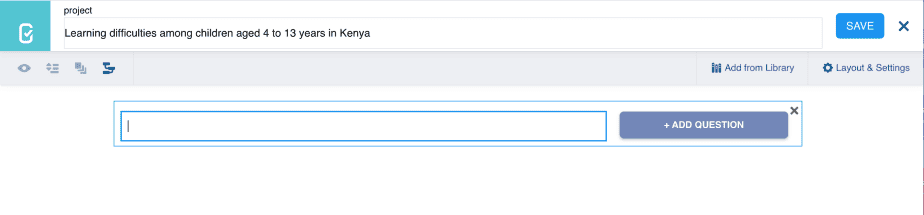
To start creating the form, click on the + icon. This will take you to a new page with a blank space for typing in the question.
Each question will have its own blank space with a prompt “Add question” on the right side as shown in the image below.
Before creating a form in KoboToolbox, it is important to understand the questions options that are available.
Understanding the types of questions available in KoboToolbox
KoboToolbox has many types of questions available that can be used in form development as shown in the image below:
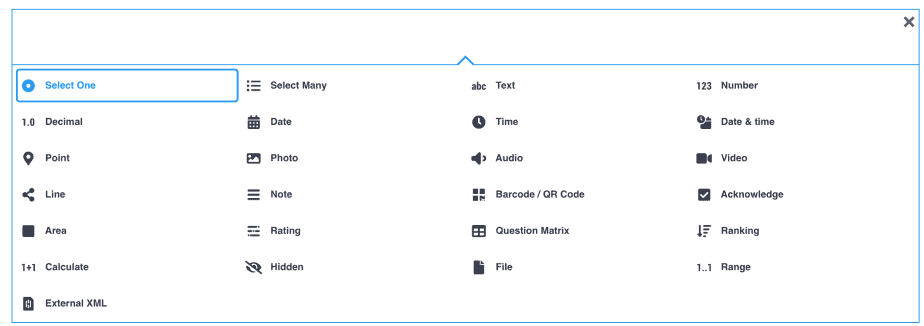
The types of questions include: select one, select many, text, number, decimal, date, time, date and time, point, rating, ranking, question matrix, to mention but a few.
In the next post, I will discuss each of these questions and provide practical examples.
Related posts
KoboToolbox Tutorial #1: Introduction to KoboToolbox for Data Collection
KoboToolbox Tutorial #3: Types of Questions in KoboToolbox
KoboToolbox Tutorial #4: Form Development in KoboToolbox: A Video Illustration